The first is quite straightforward.
Try those download manager like JDownloader, FreeRapid, MiPony (thanks to Coffeecat), etc. Simply copy those links, the download manager can automatically grab the links, and start downloading.
Sometimes, the plugin is out of date. Just wait till it get updated. My files will be stored forever hopefully.
The speed is OKAY...But if you really want high speed download, you have to use the second method which is a 115 download manger as shown below.
The Second is a little bit complicated but once you install the software, you will be fine.
(does not work for mac users! sorry!)
1. Get the 115 download manager from http://pc.115.com/

2. get installed (please always yes!)
It might requires a reboot!
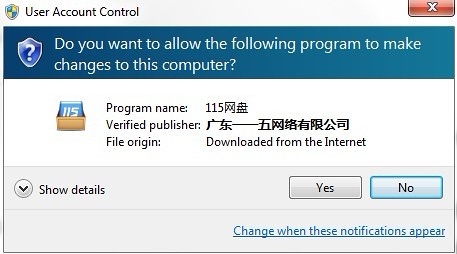

3. After you installed it successfully, click the "115UDown" ICON.
The other icons are useless, just delete them.

4. double click the 115UDown ICON, now you are good to download.
There are also two ways to add download.
First is just copy the download links, then the manager will direct you to the file-saving page.
Otherwise
1). click the yellow button ( my download)
2). click the red button (add download)

5. save your files!

1st box – download link
2nd box – location
3rd box: filename (you can change it if you want)
After you done, click the blue button.And the download manger is working now!

You may also refer to a tutorial here.
http://cnbluestorm.com/2011/02/21/tutorial-how-to-download-from-u115/
BIG SORRY for inconvenience to download files in a non-English speaking file host!
But this is best way for my domestic readers.
Moreover, I heard some rumors that even rapidshare and other European file hosts are facing some serious legal issues.
Please leave a comment if this works for you or not. And feel free to ask questions.
Thank you very much!